

Connect, control, and automate
PoolBox.
The device that connects, measures, and acts.
PoolBox brings your pool readings and controls together in one device connected to Ysland.
The gateway to the Ysland platformConnect your installation and view its readings and activity in one place.
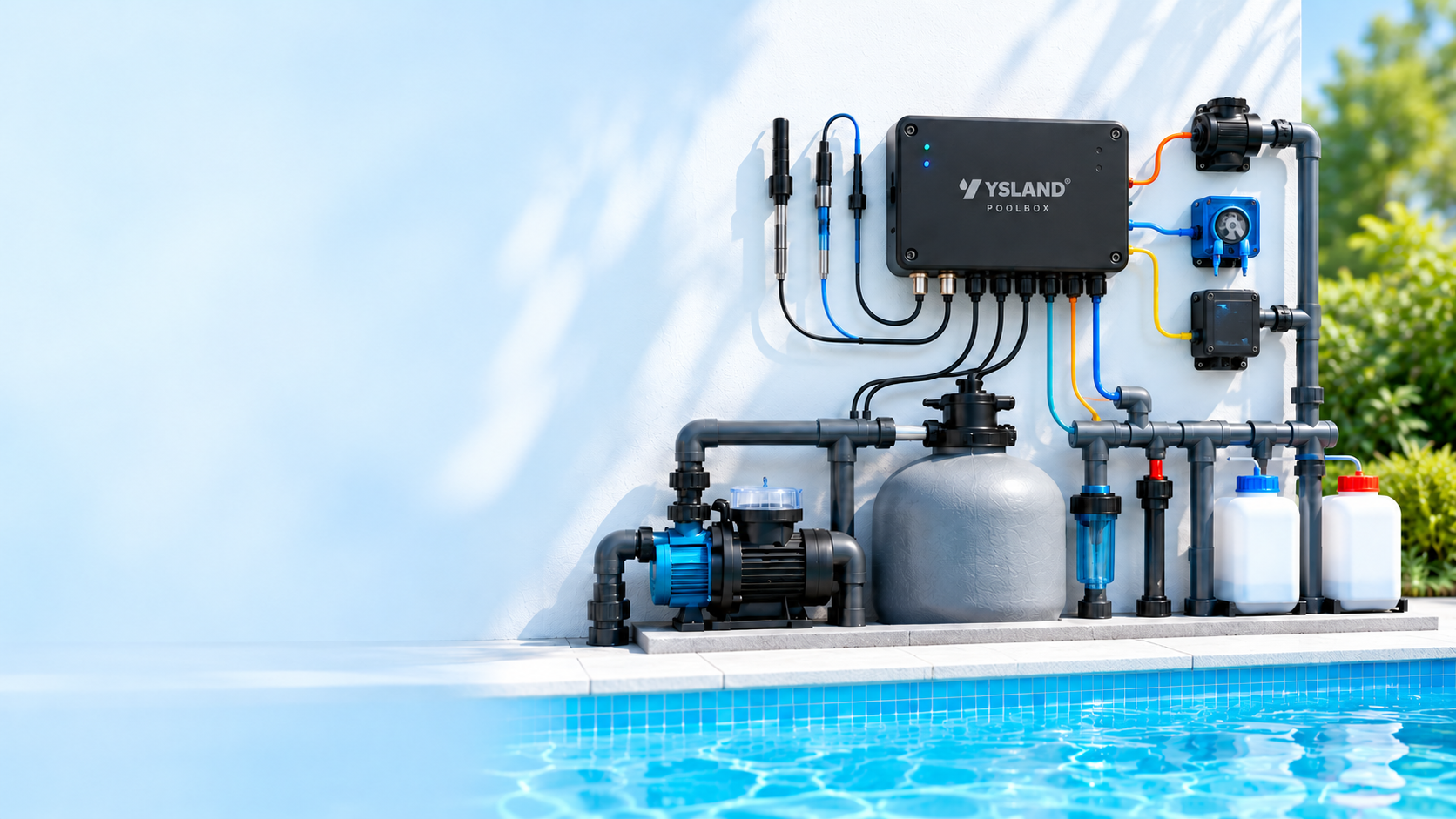
One unit, multiple functions
What PoolBox does
Everything your pool needs to measure, control, and automate, from a single device.
Measure
Monitor pH, ORP / Redox, temperature, and pump activity.
Accurate, continuous readingsControl
Control pool equipment through configurable relays.
4 configurable outputsAutomate
Apply rules and schedules to keep the water in optimal condition.
Logic you defineConnect
Connect the installation to Ysland while keeping its local schedule.
Built-in connectivityOne connection, multiple functions
One PoolBox.
Everything connected.
PoolBox brings probe readings together and controls the installation's equipment. From Ysland, you can assign each output and define when it should act.
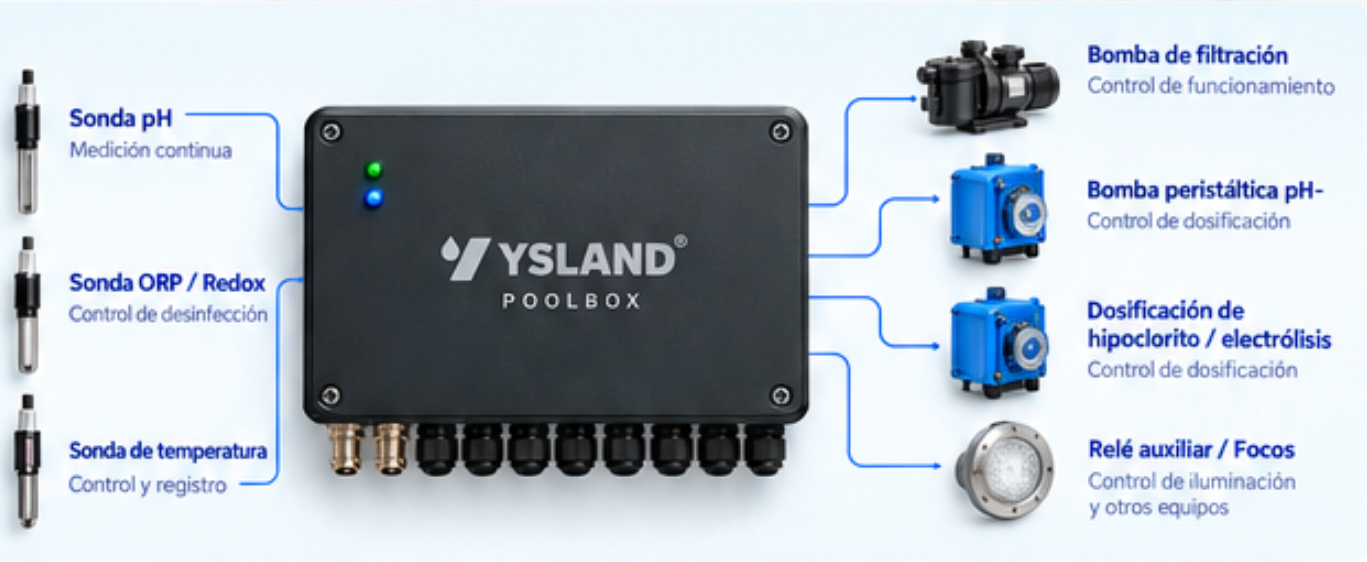
Measurement inputs
Connect pH, ORP / Redox, and temperature probes to monitor water conditions continuously.
Equipment outputs
Control the filtration pump, salt chlorinator, dosing units, lights, and auxiliary equipment as needed.
Four configurable relays
It has two 20 A outputs and two 5 A outputs. Assign each relay to the relevant equipment.
Control from Ysland
Set logic and schedules, view readings, and review actions in the platform.
Configured automation
Measure, decide, and act.
PoolBox monitors your pool, runs your configured rules, and records every action.
- 1
Measure the condition
of the waterpH, ORP / Redox
and temperature - 2
Read power usage
of the pumpCheck whether filtration is running
- 3
Apply the logic
you configuredBased on rules and conditions
- 4
Switch on or off
the relayControl equipment automatically
- 5
Record the
actionSave the history in Ysland
Pump power reading
PoolBox records power usage to check whether filtration is working.
- Detect whether the pump is running
- Reduce unnecessary dosing
- Improve equipment efficiency
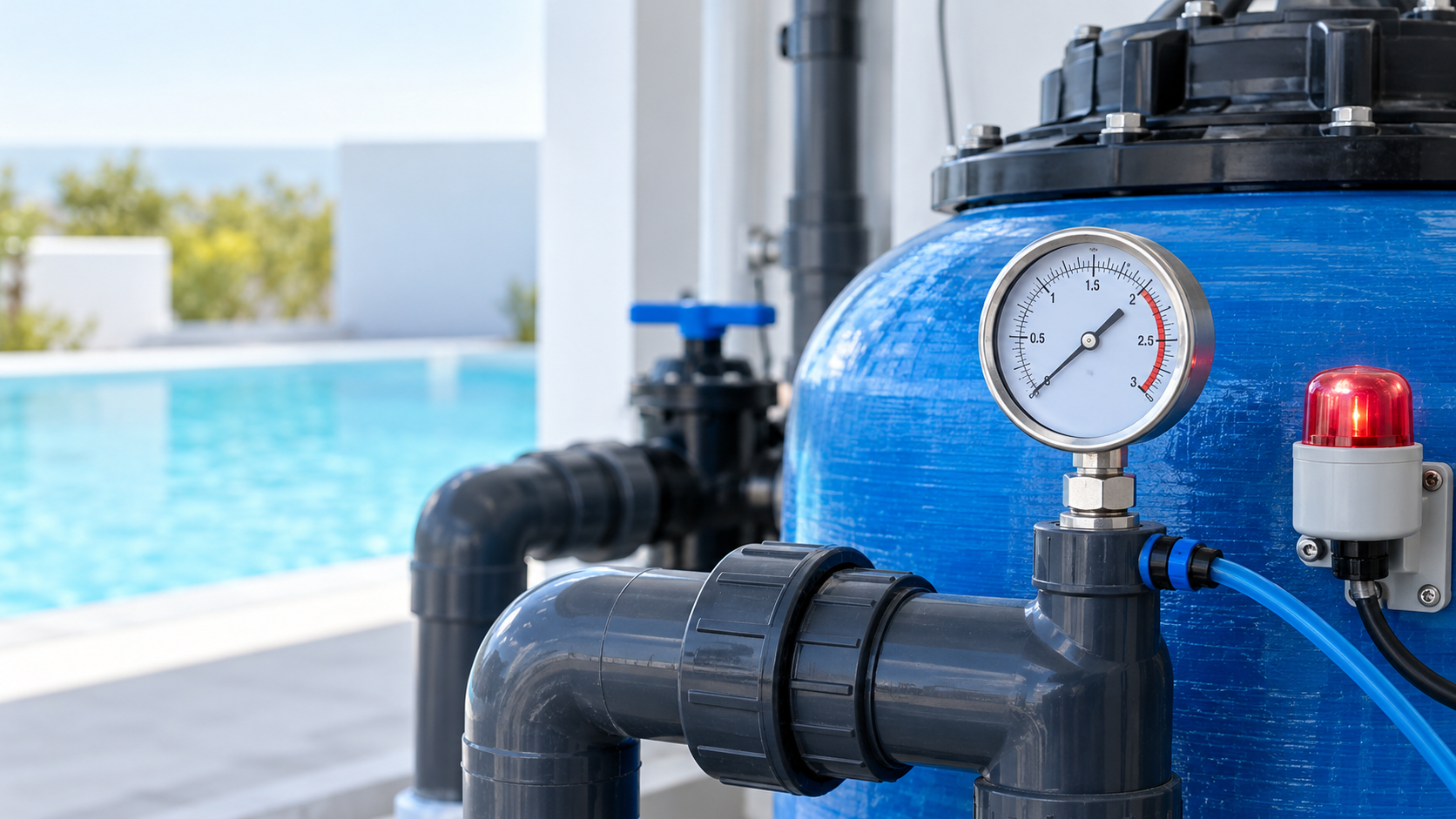
Filter cleaning monitoring
Pressure readings help you know when to inspect the filter and restore its performance.
- Detect blockages
- Get alerts before they affect service
- Keep the pool operating efficiently
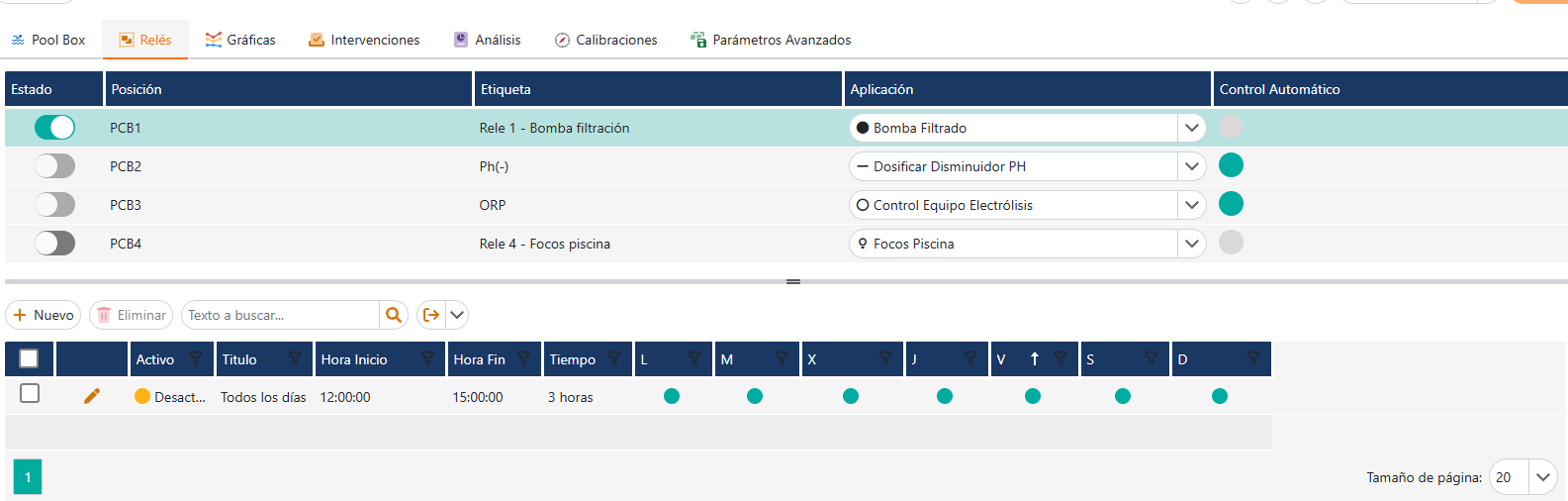
Configure from Ysland
Define how each relay works.
Assign equipment, choose its operating logic, and set schedules from the platform. PoolBox keeps the configuration so it can continue operating locally.
- Assign a name and purpose to each output
- Set automatic or manual modes
- Schedule times and conditions
Connectivity and continuity
Connected when you need it.
Runs autonomously if coverage is lost.
PoolBox combines 4G connectivity with local operation to keep configured rules running.
Built-in connectivity
Monitor and sync with Ysland when coverage is available.
Local programming
Saved schedules and rules can keep running while offline.
Automatic synchronization
Data sync automatically when the connection returns.
Without coverage, remote monitoring and platform changes are unavailable. PoolBox keeps your saved rules and schedules locally.
PoolBox connects your pool to Ysland
Manage your installation with more context.
We'll help you find the right configuration for your project.